Introduction
If you’re searching for how to unlock iPhone, it’s important to know that “unlocking” can mean several different things. Your iPhone might be locked by a forgotten passcode, tied to a mobile carrier, or protected by Apple’s Activation Lock. Each situation requires a different solution.
This guide explains every legitimate way to unlock an iPhone, when it’s possible, and what to avoid. It also covers common questions, troubleshooting tips, and best practices to help you regain access to your device safely.
Understanding the Different Types of iPhone Locks
Before attempting to unlock your iPhone, identify the type of lock you’re dealing with.
Screen Passcode Lock
This appears when you’ve forgotten your device passcode or entered the wrong passcode too many times.
Carrier Lock
Some iPhones are locked to a specific mobile network and cannot use SIM cards from other carriers until unlocked.
Activation Lock
Activation Lock is linked to Apple’s Find My feature. It requires the Apple ID and password originally associated with the device after it has been erased or reset.
How to Unlock an iPhone Screen Passcode
If you forgot your passcode, Apple does not provide a way to bypass it while keeping your data. The device must be erased and then restored from a backup if one is available.
Step 1
Turn off your iPhone.
Step 2
Place the device into Recovery Mode using the button combination for your iPhone model.
Step 3
Connect the iPhone to a Mac or Windows computer.
Step 4
Open Finder on a Mac or Apple Devices or iTunes on Windows.
Step 5
Choose the Restore option when prompted.
Step 6
After the restore finishes, set up the iPhone again and restore your backup if available.
How to Unlock a Carrier Locked iPhone
Carrier unlocking allows your iPhone to work with different mobile service providers.
Check If Your iPhone Is Already Unlocked
Open:
Settings
General
About
Look for Network Provider Lock.
If it says No SIM Restrictions, your iPhone is already unlocked.
Request a Carrier Unlock
If your phone is locked:
- Contact your current carrier.
- Verify your account information.
- Meet any contract or payment requirements.
- Wait for the carrier to approve the unlock request.
Only your carrier can remove a carrier lock. Apple cannot unlock carrier-locked devices.
How to Unlock an Activation Locked iPhone
Activation Lock protects lost or stolen devices.
To remove it, you must:
- Sign in using the Apple ID originally linked to the device.
- Enter the correct Apple ID password.
- Complete device activation.
If you purchased the phone second hand, ask the previous owner to remove it from their Apple account before you can activate it.
What If You Forgot Your Apple ID Password?
If you cannot remember your Apple ID password:
- Reset your password using Apple’s account recovery process.
- Verify your identity.
- Sign back into your device after resetting the password.
Can Apple Unlock My iPhone?
It depends on the type of lock.
Apple Can Help With
- Apple ID recovery
- Account verification
- Device restoration
- Technical support
Apple Cannot
- Reveal your passcode
- Bypass Activation Lock without proper verification
- Unlock a carrier locked phone on behalf of your mobile provider
Can You Unlock an iPhone Without Losing Data?
If you remember the passcode, yes.
If you forgot the passcode, restoring the device will erase its contents. You can recover your information only if you previously created an iCloud or computer backup.
Common Reasons an iPhone Won’t Unlock
Several issues can prevent successful unlocking.
Incorrect Passcode
Too many incorrect attempts may temporarily disable the device.
Activation Lock
The device is still linked to another Apple ID.
Carrier Restrictions
The phone has not yet been approved for unlocking by the carrier.
Software Issues
A failed update or corrupted system software may require restoring the device.
Tips to Avoid Getting Locked Out Again
Follow these best practices.
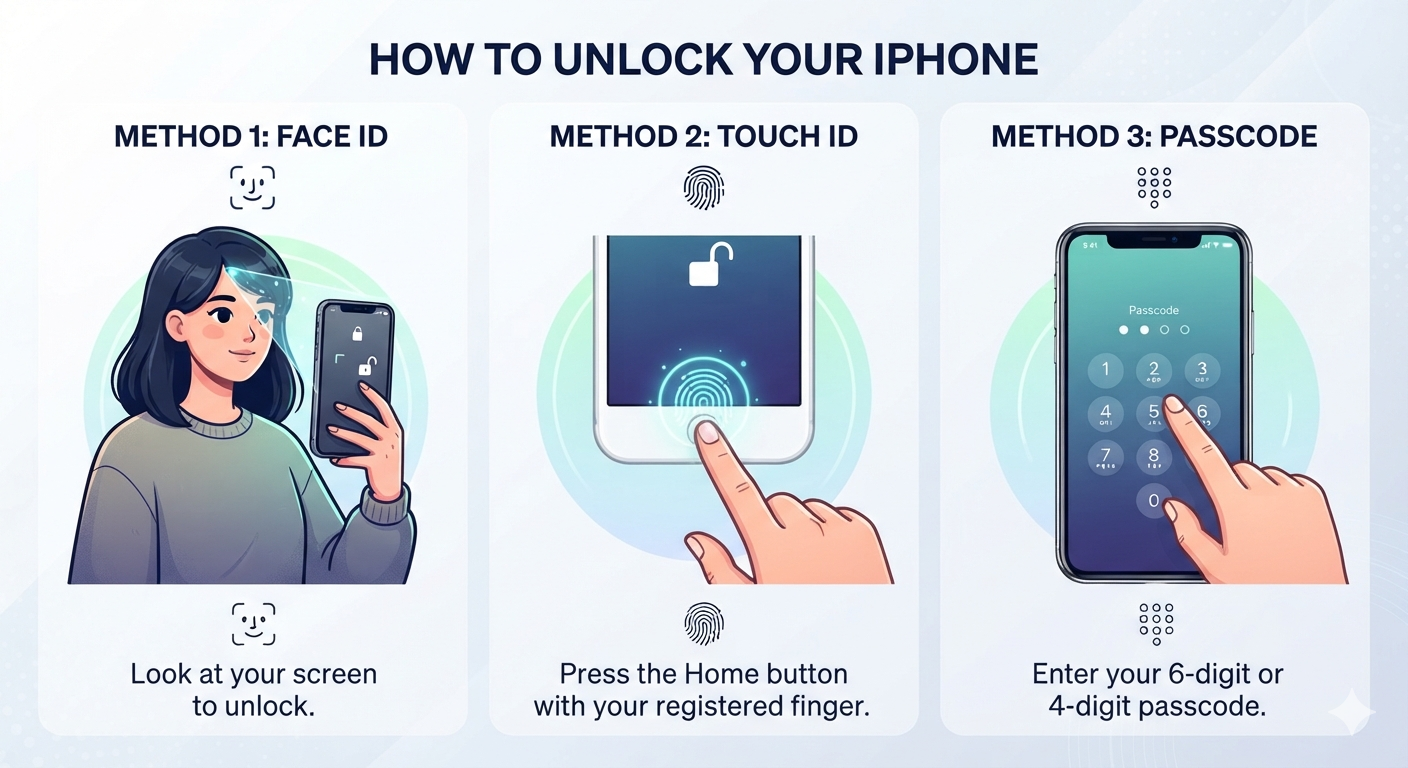
- Enable Face ID or Touch ID.
- Use a memorable but secure passcode.
- Turn on Find My iPhone.
- Back up your device regularly.
- Keep your Apple ID recovery information current.
- Store important passwords securely.
Common Myths About Unlocking iPhones
Myth
Any software can unlock an iPhone without a passcode.
Fact
No legitimate software can bypass Apple’s security while preserving your data.
Myth
Apple employees can tell you your passcode.
Fact
Apple does not know or store your device passcode.
Myth
Carrier locks and Activation Lock are the same.
Fact
They are completely different security features with different unlocking methods.
People Also Ask
How do I unlock my iPhone if I forgot the passcode?
You must erase the device using Recovery Mode or another official method and then restore it from a backup if one exists.
Can Apple unlock my iPhone?
Apple can help with Apple ID recovery and device restoration, but only your mobile carrier can remove a carrier lock.
Can I unlock an Activation Locked iPhone?
Yes, but only with the original Apple ID credentials or through legitimate ownership verification.
How do I know if my iPhone is carrier unlocked?
Go to Settings, then General, then About. If it shows No SIM Restrictions, the device is unlocked.
Will unlocking erase my data?
Removing a forgotten screen passcode requires erasing the device. If you have a backup, you can restore your data afterward.
Frequently Asked Questions
Can I unlock an iPhone for free?
Yes. If you meet your carrier’s eligibility requirements, carrier unlocking is generally free.
Can I unlock a second hand iPhone?
Yes, provided the previous owner removes Activation Lock and the carrier unlock requirements have been met.
Is it legal to unlock an iPhone?
In many countries, unlocking your own iPhone through your carrier or Apple’s official methods is legal.
How long does carrier unlocking take?
The timeframe varies by carrier. Some requests are completed within a few hours, while others may take several days.
Should I use third party unlocking services?
Be cautious. Many services claiming to bypass passcodes or Activation Lock are unreliable or fraudulent. Official Apple and carrier procedures are the safest options.
Conclusion
Learning how to unlock iPhone starts with identifying the type of lock affecting your device. A forgotten passcode, carrier restriction, and Activation Lock each require different solutions. Following Apple’s official recovery methods and working with your mobile carrier ensures your device remains secure while avoiding scams or unsupported unlocking tools. By keeping regular backups, maintaining your Apple ID information, and using strong security settings, you can minimize the risk of future lockouts and protect your valuable data.